
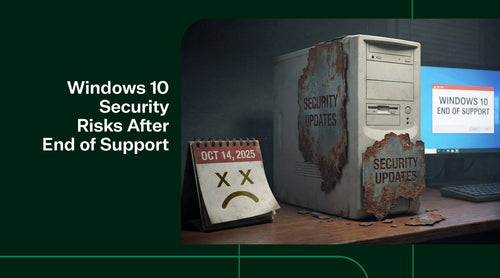
Bad news: as of October 14, 2025, Microsoft officially ended support for Windows 10. You have a few options, including purchasing extended security updates or updating to Windows 11. But what happens if you do nothing after Windows 10’s end-of-support? In short, your PCs will operate, but they will rapidly become vulnerable and non-compliant. Let’s enumerate the risks of not enrolling in ESU (and not upgrading to a newer OS):

1) No Protection from New Threats
Once Microsoft stops issuing updates (after Oct 14, 2025), any new vulnerabilities discovered in Windows 10 will remain unpatched on your systems. Attackers frequently target the Windows ecosystem; each month, Microsoft patches numerous security flaws. Without ESU, those flaws become enduring “holes” in your environment. This leaves systems vulnerable to malware, ransomware, and other emerging exploits over time. For instance, a critical wormable network bug in 2026 could allow a WannaCry-style attack to propagate through unpatched Windows 10 machines, and there would be no fix available for your PCs (whereas ESU customers would receive a patch). The exposure accumulates: every month you skip updates, the list of known unpatched vulnerabilities grows.
2) High Risk of Ransomware and Exploits
Cybercriminal groups often target legacy systems because they know these systems are not regularly patched. Windows 10 without updates will become a prime target for ransomware. Already, unsupported systems like Windows 7 have been hit by exploits that Microsoft only patched for supported customers. Ignoring ESU means gambling that you won’t be hit – a risky bet for any business handling important data. Even web-based attacks (malicious websites or downloads) become more dangerous as browser support eventually wanes and the OS lacks hardening against newer techniques.
3) Data Breach Liability
If an unpatched Windows 10 machine serves as the entry point for a breach, and patches are available via ESU (or an upgrade path exists), an organization may face legal or reputational consequences for failing to take reasonable precautions. Not using ESU when it was available could be seen as negligence in hindsight, should an incident occur.

4) Compliance and Regulatory Failures
Many organizations must adhere to frameworks such as PCI-DSS, HIPAA, GDPR, or other cybersecurity standards. Running an operating system that is past its support window (and not receiving security updates) can be considered a violation of the requirement to use “vendor-supported software” or to apply security patches. Auditors will flag this. For instance, a company processing credit cards could fail a PCI audit if it still has Windows 10 PCs in 2026 without ESU, because those systems would not be receiving security fixes (PCI requires up-to-date patches). Even with ESU, some regulators might require documentation, but without ESU, it’s almost certain to be non-compliant. Ignoring ESU means accepting known security weaknesses, which is hard to justify in any IT risk assessment.
5) Loss of Software Support Sooner
Third-party vendors will drop support for Windows 10 more quickly if it’s not kept secure. For example, antivirus companies might eventually stop updating their definitions for Windows 10 if the OS remains widely unpatched. Or line-of-business software providers might refuse to troubleshoot issues on Windows 10 after 2025, unless you can show you’re in the ESU program (which at least means you have security patches). Browsers like Chrome and Edge will continue to update for a while, but historically, Google has supported Windows 7 only for about 2-3 years post-EOL. For Windows 10, they might do similarly, meaning by 2027, unpatched Windows 10 may also lose browser support, compounding security issues (since an older browser can be another attack vector).
6) Network Infection Risks
One unpatched machine can threaten many. If one PC in a network is running an outdated version of Windows 10, it could be the weak link that attackers use to gain access to an otherwise secure network. This “weakest link” problem is a major reason to either decommission or at least ESU-enroll all remaining Windows 10 assets. Skipping ESU on even a few PCs could give attackers a toehold, especially if those machines are connected to internal file shares or domain controllers.

In essence, ignoring ESU is equivalent to leaving the door wide open after October 2025. Your systems may function normally on a day-to-day basis, but each passing week increases the likelihood of a security incident. Microsoft itself “strongly recommends” upgrading to Windows 11 and uses ESU to cover only those who absolutely need it, precisely because of these risks. If, for some reason, neither ESU nor immediate upgrading is feasible (say, you have an isolated lab PC running Windows 10 for a specific legacy task), then that machine should be heavily sandboxed, kept offline if possible, or protected by network segmentation and stringent endpoint security because it will be a high-risk asset.
Bottom line: If you plan to continue running Windows 10 past the EOL date without ESU, you should assume that the machine will become increasingly vulnerable. This is generally an unacceptable stance for production or business-critical systems. The safer approaches are either to enroll in ESU (to mitigate risk temporarily) or migrate to a supported OS. Ignoring the issue is likely to result in a security incident sooner or later. Find out 10 things you need to know about Windows 10 ESU.
Windows 10 Security Risks FAQ
Q. What happens if we continue using Windows 10 after the end of support?
A. Your PCs will continue to run, but they will become increasingly vulnerable to security threats. Newly discovered vulnerabilities will remain unpatched, creating long-term exposure to malware, ransomware, and exploits.
Q. What are the risks of not enrolling in ESU?
A. Organizations that do not enroll in ESU face several risks, including:
- No protection against newly discovered vulnerabilities
- Increased exposure to ransomware and zero-day exploits
- Growing attack surface over time as unpatched flaws accumulate.
Q. Why is ransomware a major concern for unsupported Windows 10 systems?
A. Cybercriminals actively target legacy and unpatched operating systems. Unsupported Windows versions (such as Windows 7 previously) have been heavily exploited, often without patches being released for non-supported customers. Windows 10 systems without ESU will become prime targets for ransomware.
Q. Does running Windows 10 after EOL affect compliance?
A. Yes. Many regulatory frameworks (PCI-DSS, HIPAA, GDPR, etc.) require the use of vendor-supported and regularly patched software. Running Windows 10 without ESU may lead to audit failures and compliance violations.
Q. Could we face legal or reputational risk after a breach?
A. Yes. If a data breach occurs on an unpatched Windows 10 system when ESU or an upgrade was available, it could be viewed as negligence, increasing legal liability and reputational damage.
Q. Will third-party software continue supporting Windows 10?
A. Over time, software vendors will drop support for Windows 10. This may include antivirus tools, business applications, and eventually web browsers—further increasing security and operational risks.
Q. Can a single unpatched Windows 10 device put our whole network at risk?
A. Yes. One unpatched machine can act as a weak link, allowing attackers to gain access to broader network resources such as file shares or domain services. This is why partial upgrades or selective ESU enrollment still pose risks.
Buy Windows 10 ESU Year 1
 |
Details
|
Shop our Windows 11 Products
 |
Details
|