
Everybody uses it, but support for it doesn’t last forever. If your organization is still running Windows Server 2012 or Windows Server 2012 R2, you’re effectively out of time. Navigating the transition away from a legacy operating system is a massive undertaking, but staying on Windows Server 2012 isn’t a viable strategy anymore. This means you’ve got some options to weigh before time is up, but there are a few choices to consider first.
The End of Support Timeline: 2012 vs. 2012 R2
For years, Microsoft provided two tiers of support: Mainstream and Extended. While Mainstream support ended years ago, we have now passed the final threshold for Extended Support.
- Windows Server 2012 EOS Date: October 10, 2023
- Windows Server 2012 R2 EOS Date: October 10, 2023
Both versions reached their end-of-life status simultaneously. This means that as of late 2023, Microsoft no longer provides automatic fixes, updates, or online technical assistance. If you continued to use this service despite the EOS, you have until October 13, 2026, for any Extended Security Updates you purchased as an additional package. Once the end date arrives, the server is no longer supported and considered End of Life (EOL).
End of Support vs. End of Life: What’s the Difference?
In the IT world, these terms are often used interchangeably, but there is a nuance:
- End of Support (EOS): The date when free, regular security updates cease. Microsoft usually offers a paid "Extended Security Update" (ESU) program for a limited window after this date.
- End of Life (EOL): This signifies the total "death" of the product. Once ESU periods expire or a product is fully decommissioned, there are no updates of any kind: paid or otherwise.

What "End of Life" Actually Means for Your Business
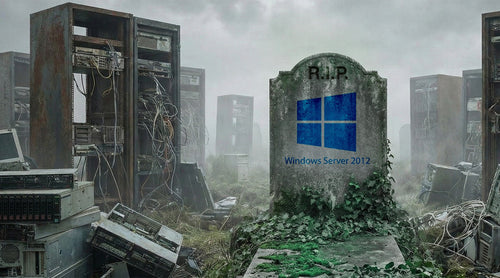
When a server OS reaches EOL, it doesn't suddenly stop working. Instead, it becomes a "zombie server." It functions, but it is effectively invisible to the engineers who built it. Microsoft stops providing:
- Security Patches: No more protection against new malware, ransomware, or zero-day exploits.
- Bug Fixes: Non-security issues that cause crashes or performance degradation will never be patched.
- Technical Support: If the server goes down due to an OS-level conflict, Microsoft's help desk will not assist you.
- Certification: New hardware and software will no longer be tested or certified to run on Windows Server 2012.
The Critical Risks of Staying on Windows Server 2012
While you can choose to continue running Windows Server 2012, you’re putting yourself at risk. Running an unsupported OS creates a cascading effect of vulnerabilities across your entire network.
- Security Vulnerabilities: Cybercriminals specifically target EOL systems because they know the "doors" are permanently unlocked. Without regular security updates, any new vulnerability discovered in the Windows Server 2012 codebase remains open forever. This makes your server a primary target for ransomware and data exfiltration.
- Compliance and Audit Failures: If your business handles sensitive data, you are likely governed by regulations like GDPR, HIPAA, PCI-DSS, or SOC 2. Nearly all of these frameworks require systems to be "regularly updated and supported." Running EOL software is often an automatic audit failure, which can lead to massive fines or the loss of your ability to process credit cards.
- Cyber Insurance Complications: In the current threat landscape, cyber insurance providers have become much stricter. Most applications now ask if you are running any unsupported software. If you answer "yes," your premiums may skyrocket, or you may be denied coverage entirely. If you have a breach on an EOL system and didn't disclose it, they may refuse to pay the claim.
- Software and Vendor Incompatibility: Modern software developers (like those making your ERP, CRM, or even antivirus software) eventually stop supporting their applications on older operating systems. You may find yourself unable to update your critical business apps because the underlying OS is too old.

Your Upgrade Options: The Best Paths Forward
You have four primary strategies to handle the Windows Server 2012 EOL. The right choice depends on your budget, your hardware, and your long-term cloud strategy.
Option 1: Modernize with an On-Premises Upgrade
If you need to keep your data local for latency or regulatory reasons, you should move to a modern version of Windows Server.
- Windows Server 2019: A stable, well-understood middle ground.
- Windows Server 2022: The current standard, offering better security features and hybrid-cloud integration.
- Windows Server 2025: The newest release designed for the next era of IT, featuring advanced AI-driven security, significantly faster storage performance (NVMe optimization), and a simplified "hotpatching" capability that allows for security updates without requiring a server reboot.
- Upgrade Path: Note that you cannot "in-place upgrade" directly from 2012 to 2022 in one jump. You typically have to upgrade to 2016 or 2019 first, then to 2022. Most experts recommend a fresh install on new hardware to avoid carrying over "ghosts" from the old configuration.
Option 2: Migrate to Microsoft Azure
Microsoft offers a significant "carrot" for moving to the cloud. If you migrate your Windows Server 2012/R2 workloads to Azure Virtual Machines, Microsoft provides Extended Security Updates (ESUs) for free for up to three years. This gives you much-needed time to modernize the apps while keeping them secure in a "lift and shift" environment.
Option 3: Purchase Extended Security Updates (ESU)
If you absolutely cannot move off 2012 yet (perhaps due to a legacy app that won't run on anything else), you can purchase ESUs for your on-premises servers. However, this is expensive and only covers "Critical" and "Important" security updates. It’s a temporary band-aid, not a permanent solution, so you’ll need to keep searching for options in the meantime. And the ESU year 3 product officially ends October 2026.
Option 4: Retire and Replace
The EOL of an OS is the perfect time to ask: "Do we even need this server?" Many 2012 workloads can be replaced by SaaS (Software as a Service) alternatives. Instead of upgrading a local mail server, move to Microsoft 365. Instead of a local file server, move to SharePoint or Azure Files.
Step-by-Step Migration Checklist
A successful migration requires more than just an ISO file and a prayer. Use this checklist to stay organized:
| Phase | Task | Key Action |
|---|---|---|
| 1. Discovery | Inventory | List every server running 2012/R2 and what roles they play (DNS, SQL, App). [cite: 63] |
| 2. Analysis | Dependency Mapping | Identify which apps talk to which servers so you don't break connections. [cite: 29, 44] |
| 3. Strategy | Choose a Path | Decide for each server: Upgrade, Migrate to Azure, or Retire. [cite: 46, 48, 54, 62] |
| 4. Testing | App Compatibility | Test your business apps in a lab environment on the new OS. [cite: 43, 53] |
| 5. Backup | Full System Image | Create a verified, "cold" backup before touching the production server. [cite: 72] |
| 6. Execution | Phased Migration | Move low-priority servers first, then mission-critical ones. [cite: 3, 47] |
| 7. Validation | Post-Migration Audit | Check logs, permissions, and performance before decommissioning the old server. [cite: 24, 25] |

FAQ: Windows Server 2012 End of Life
Q. Can I still use Windows Server 2012 after the deadline?
A. Yes, the software will continue to run, but it will be highly insecure and unsupported. It is not recommended for any server connected to the internet or a corporate network.
Q. What happens if I get a virus on an EOL server?
A. Since there are no more security patches, a new virus might exploit a hole that can never be fixed. Your only recourse would be to restore from a backup, but the "hole" would still be there, leading to escalating issues.
Q. When does Windows Server 2012 R2 support end?
A. Both Windows Server 2012 and 2012 R2 reach their end of life on October 10, 2026. It’s best to plan ahead for an alternative before the end date to avoid problems in the future.
Q. How do I get free security updates?
A. The only way to receive free security updates for Windows Server 2012 today is to migrate those workloads to Microsoft Azure.
Act Now to Protect Your Infrastructure
The Windows Server 2012 end of life closes one door but opens many possibilities for your business. Whether you choose to upgrade to Windows Server 2022 or embrace the cloud via Azure, the key is to stop delaying. Every day you run an unsupported OS is a day you are betting your company's data against an increasingly sophisticated landscape of cyber threats. You have until October of this year to determine the best next steps, so plan carefully.