
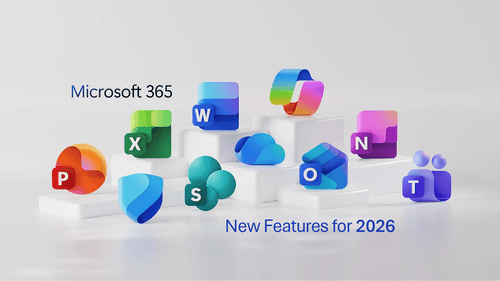
Dec. 4, 2025 - Microsoft is introducing a significant wave of new features and capabilities across Microsoft 365 plans in 2026, enhancing productivity, security, and device management for organizations of all sizes. These updates expand access to AI-powered experiences, such as Copilot Chat, strengthen protection against cyber threats through advanced email, endpoint, and identity security, and improve IT efficiency with new Intune and cloud-based management tools. Together, these capabilities reflect Microsoft’s continued push to unify productivity, security, and management under a modernized cloud platform designed to help businesses work smarter and stay protected in an evolving digital landscape.
Key Points
- New Microsoft 365 capabilities rolling out in 2026 enhance productivity, security, and device management.
- Copilot Chat becomes more powerful and widely available across business and enterprise plans.
- Additional security features include URL checks, Defender for Office P1, and new AI-driven protections.
- Many plans receive expanded management tools such as Intune Remote Help, Advanced Analytics, and Intune P2.
- Premium enterprise plans include advanced controls such as Privilege Management, Enterprise App Management, Cloud PKI, and Microsoft Security Copilot.
- Business plans experience notable improvements, including additional email storage and enhanced security governance for Copilot.
- These updates reflect Microsoft’s strategy to unify productivity, security, and management into a more integrated cloud ecosystem.

Click here to see a description of these new capabilities later in this post
What Microsoft is adding/improving
Expanded AI & productivity features - The update provides broader access to Microsoft 365 Copilot Chat for work, now embedded across apps such as Word, Excel, PowerPoint, Outlook, and OneNote, allowing more people to use secure AI-powered chat tools directly within their workflows.
Better enterprise security & management - For many business plans, new security and management capabilities are being added: e.g., enhanced email protection: email-security tools from Microsoft Defender for Office Plan 1 are being extended to select E3/E5 plans, and simpler URL-filtering protections are being added to E1, Business Basic, and Business Standard plans.
More robust device and endpoint management - For business customers, features including remote help, advanced analytics, and, for E5 customers, privileged endpoint management, application management and Cloud PKI are being added (via Microsoft Intune and related tools) to help IT teams manage devices securely and proactively.
Security-first AI workflow integration - The update also brings in AI-powered security agents via Microsoft Security Copilot, integrating detection and response tools into existing Microsoft 365 environments for E5 customers.
Microsoft says these enhancements are part of their push to combine “productivity, security, and management” under one umbrella, helping organizations “stay ahead of innovation while protecting their people and data.”
What’s changing in pricing & timing
- Price changes will take effect July 1, 2026, globally for commercial (and proportionally for nonprofit) Microsoft 365 suite subscriptions.
- Microsoft is giving customers “ample time to plan” for these changes.

What you should pay attention to (depending on your situation)
- For business/enterprise users, as well as IT teams, it’s a good time to review licensing, renewals, and budgets for potential price increases this summer 2026, while also planning to take advantage of enhanced security, AI, and management capabilities.
- For organizations concerned about security/compliance: The added security protections (Defender upgrades, endpoint management, Security Copilot) may be compelling; these could materially strengthen defenses against phishing, malware, and device risks.
- For teams using Microsoft 365 for collaboration and productivity: The enhanced Copilot Chat across apps makes it easier for more people (not just power users) to use AI tools in everyday workflows, potentially increasing productivity across the board.

Feature/Capability Descriptions
Microsoft 365 Copilot Chat enhancements
- Copilot Chat is an AI-powered chat experience embedded in Microsoft 365 apps (Word, Excel, PowerPoint, Outlook, OneNote, etc.). It enables users to ask questions, receive summaries, draft content, brainstorm, analyze spreadsheets, and automate tasks, all grounded in your organization’s data via Microsoft Graph.
- The “enhancements” refer to ongoing improvements: better reliability, improved model performance, new features (e.g., “agents,” file uploads, image generation, chat-based workflows), and deeper integration across apps, all included at no extra cost for qualifying Microsoft 365 / Office 365 licenses.
- In short, Copilot Chat enhancements make the AI assistant more capable, context-aware (i.e., aware of the document/spreadsheet/email you have open), and easier to use, helping users get more done faster with AI in their regular workflows.
Security, management, and analytics for Copilot Chat
- When Copilot Chat is used in an enterprise context, these capabilities refer to the administrative / IT controls, data protection, compliance, and governance features around AI usage. For example: audit logging, retention, data access controls, and protections to ensure Copilot respects organizational boundaries and permissions.
- “Management and analytics” refers to administrators being able to manage how Copilot Chat is utilized across the organization, potentially monitor usage, enforce compliance/policy, and apply governance controls essential for enterprise deployments of AI tools.
URL checks in Outlook and Office apps (web and mobile)
- This refers to security protections applied to links (URLs) encountered in emails or documents inside Outlook and Office apps. When users click a link or interact with a URL, the system checks it to help protect against malicious or phishing links. (Often implemented via safe-link/URL-scanning security services.)
- The goal is to reduce risk from phishing, malicious websites, or attachments by proactively scanning URLs before they are opened, offering safer browsing and content interaction for users. This capability is part of the enhanced security being introduced to certain plans.
+50 GB email storage
- This increases the mailbox storage capacity for email, providing users with a larger mailbox (an additional 50 GB) compared to prior storage quotas.
- Useful for businesses, especially those with high email volume or long-term email retention needs, as it reduces the need for frequent mailbox clean-ups or archiving.
Microsoft Defender for Office 365 (Plan 1)
- Defender for Office 365 Plan 1 is an email- and collaboration-oriented security service. It protects against email-based threats, including malware, phishing, and zero-day threats. Features typically include Safe Links (which scan URLs), Safe Attachments (which scan email attachments), real-time threat detection, and protection for SharePoint, OneDrive, and Teams, depending on the context.
- It helps organizations secure their communication and collaboration environment against malicious content adding an important layer beyond basic email protection.
Microsoft Intune Remote Help
- Intune allows IT administrators or support teams to remotely assist users’ devices e.g. remote troubleshooting, assistance, configuration, which is useful for managing distributed or remote workforces. Intune supports device management across many platforms (Windows, macOS, iOS, Android, etc.).
Microsoft Intune Advanced Analytics
- This refers to the analytics and reporting features that Intune provides regarding devices, apps, compliance, security posture, device health, and usage, among other aspects. Organizations can utilize these analytics to monitor fleet health, compliance, and risks, as well as optimize device/app management. (This is part of what you get with higher tiers of Intune licensing.)
Microsoft Intune P2
- This indicates the more advanced (premium) Intune license, which offers full endpoint management features, extending from basic device/app management to more robust security, compliance, policy enforcement, and device lifecycle management. Intune P2 is designed to support complex enterprise environments across many device types.
Intune Endpoint Privilege Management
- This capability typically refers to managing and controlling privileged access on endpoint devices, such as granting or restricting elevated privileges, enforcing least-privilege principles, and regulating what applications/users can do on managed devices.
- For organizations, this helps reduce risk from malicious software or user error by restricting unnecessary elevated access, controlling user rights, and enforcing security policies. This is especially useful in tightly regulated or security-conscious environments.
Intune Enterprise Application Management
- This refers to the ability to manage applications enterprise-wide: deploying, configuring, updating, and controlling access to applications on managed devices.
- With Intune, organizations can ensure that only approved applications are installed, manage licenses, enforce compliance or configuration policies, and maintain consistent application environments across the organization. This helps with security, compliance, and maintenance.
Microsoft Cloud PKI
- This refers to public key infrastructure (PKI) services managed in the cloud, enabling organizations to issue, manage, and validate digital certificates (for devices, users, or applications) without maintaining on-premises PKI infrastructure.
- Using Cloud PKI helps organizations manage identity, encryption, secure communications, certificate-based authentication, and secure device/app access, reducing the operational overhead of traditional PKI setups while maintaining strong security and compliance.
Microsoft Security Copilot
- Security Copilot is Microsoft's AI-driven security assistant, designed to support security operations teams by analyzing data, detecting threats, prioritizing incidents, and assisting with responses. It's meant to integrate with the broader Microsoft security ecosystem.
- It helps automate and accelerate threat detection, investigation, and remediation leveraging AI to lighten the workload for security teams, improve efficiency, and reduce time-to-response, which is critical as cyber threats grow in volume and complexity.

New Features by Plan (2026 Updates)
Microsoft 365 Business Basic
Lightweight web and mobile apps to kickstart your business.
New capabilities coming in 2026:
- Copilot Chat enhancements
- Security, management, and analytics for Copilot Chat
- URL checks in Outlook and Office apps (web and mobile)
- +50 GB email storage
Microsoft 365 Business Standard
Powerful web, mobile, and desktop apps to run your business.
New capabilities coming in 2026:
- Copilot Chat enhancements
- Security, management, and analytics for Copilot Chat
- URL checks in Outlook and Office apps (web and mobile)
- +50 GB email storage
Microsoft 365 Business Premium
Everything your business needs to be more productive and secure.
New capabilities coming in 2026:
- Copilot Chat enhancements
- Security, management, and analytics for Copilot Chat
- +50 GB email storage
Office 365 E1
Lightweight web and mobile apps, and basic security.
New capabilities coming in 2026:
- Copilot Chat enhancements
- Security, management, and analytics for Copilot Chat
- URL checks in Outlook and Office apps (web and mobile)
Office 365 E3
Powerful productivity apps, basic security, and identity management capabilities.
New capabilities coming in 2026:
- Copilot Chat enhancements
- Security, management, and analytics for Copilot Chat
- Microsoft Defender for Office P1
Microsoft 365 E3
Powerful productivity apps with enhanced security and compliance capabilities.
New capabilities coming in 2026:
- Copilot Chat enhancements
- Security, management, and analytics for Copilot Chat
- Microsoft Defender for Office P1
- Microsoft Intune Remote Help
- Microsoft Intune Advanced Analytics
- Microsoft Intune P2
Microsoft 365 E5
Best-in-class AI-powered productivity apps with advanced security, compliance, analytics, and AI readiness capabilities.
New capabilities coming in 2026:
- Copilot Chat enhancements
- Security, management, and analytics for Copilot Chat
- Microsoft Defender for Office P1
- Microsoft Intune Remote Help
- Microsoft Intune Advanced Analytics
- Microsoft Intune P2
- Intune Endpoint Privilege Management
- Intune Enterprise Application Management
- Microsoft Cloud PKI
- Microsoft Security Copilot